


Ashampoo Ultimate Toolkit for Windows (Download)
Eligibility: Students, Faculty/Staff & Schools
Six. Six Titles to do it All!
This ThinkEDU Exclusive Toolit for Windows combines virtually everything your notebook or desktop PC needs to be its productive, creative, efficient and secure best - all at one incredibly low price.
Ashampoo's Ultimate Toolkit for Windows includes:
Ashampoo Office 9 for Windows (Download)
Create Documents, Spreadsheets and Presentations with Great Ease - and Excellent Compatibility!
We've all seen Microsoft Office alternatives in the past but never one that is so affordable and greatly compatible with Microsoft document formats past and present. An Office suite without compromise, without a lengthy training period. Ashampoo Office 9 lets you create documents, spreadsheets and presentations faster than ever before. It has all the options and comfort you'd expect from a modern Office suite. And Ashampoo Office 9 doesn't save your files in some online cloud service but where they belong: on your PC! It's the Office suite you've always wanted!
If you use Ashampoo Office at home, you can run it on up to 5 PCs! A single license is enough to provide your entire family with a powerful office suite! If you use it commercially though, it's one license per installation.
Highlights include:
- Space-efficient PDFs with auto-scaling
- Auto-corrections of common typos for various languages
- Additional list view in "New document" dialog box
- Different formatting options for pasted clipboard content
- Insert WEBP images
- Improved spellcheck handling
- Easily edit grouped objects
- Display full document path in title bar
- Direct input of hex values for Unicode characters
- Auto-suggestions for hyperlink insertion
- Improved dark mode with dark sidebars
- Dark mode auto-toggle based on Windows settings
- Share documents with Windows apps
- Undo individual steps during text replacement
- File attributes like "Compressed", "Icon position on desktop" and "Owner" preserved during saving
- Elegant Windows 11 style
See the full description here
Ashampoo PDF Pro 5 for Windows (Download)
Merge and Convert PDFs into MS Word documents, and Edit them Like Regular Text!
Ashampoo PDF Pro 5 is the complete solution to manage and edit your PDF documents. The program has everything you need to create, convert, edit, merge and protect your PDFs. Create perfectly sized documents that are readable on any device and use encryption to protect your property when needed. Your PDFs are now as easily editable as Word documents!
Highlights:
- 64-bit support for maximum performance, even with large documents
- Flexible view options with tabs, separate windows, or shared workspace
- Book layout for realistic double-page viewing
- Page-by-page scrolling for precise navigation
- Automatic document comparison via drag and drop
- Auto-applies most recently used font and size
- Open new files as tabs
Features include:
Faster Launch, Smoother Handling, Secure Saves
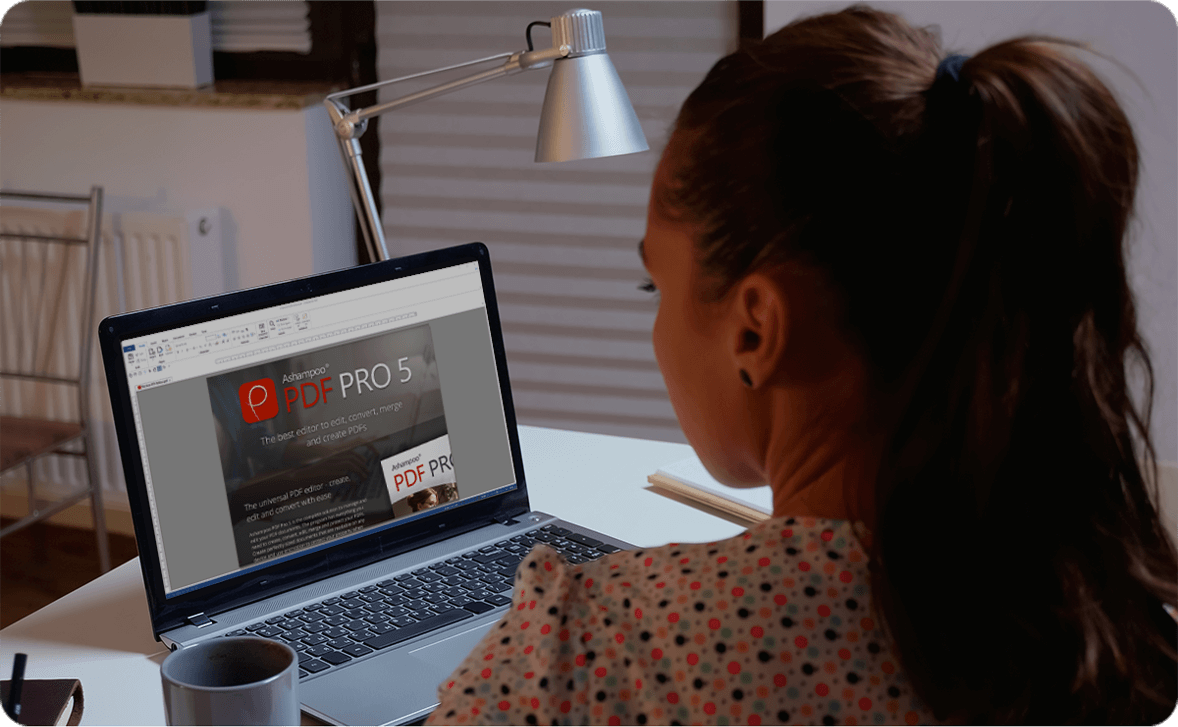
With full 64-bit support, Ashampoo PDF Pro 5 can access all available system memory to handle even the largest PDF files with ease. Now, you can work fluidly without delays or stutters, even with complex or data-heavy documents. Whether it’s technical manuals, research papers, or full catalogs–Ashampoo PDF Pro 5 handles them all with impressive speed and stability.
Edit Documents the Way You Work
You decide how Ashampoo PDF Pro 5 opens your files. Through the options menu, you can decide if new PDFs should open in tabs, separate windows, or within the same workspace. This ensures everything remains organized and optimized according to your workflow preferences. Whether you favor focused, single-document editing or juggling multiple projects simultaneously, Ashampoo PDF Pro 5 seamlessly adapts to your style.
Work Smarter and Save Clicks with Intelligent Features
Ashampoo PDF Pro 5 anticipates your needs and delivers noticeable convenience in daily use. When you open a PDF from Windows Explorer, it now appears as a new tab within your existing window. The new Book Layout view displays two pages side by side, just like a real book, and Page-by-Page Scrolling lets you move precisely one page per mouse wheel turn. Drag and drop two PDF files into the program to start an instant document comparison and see differences at a glance. When adding text, Ashampoo PDF Pro 5 remembers your last used font and size, ensuring a consistent look without manual adjustment.
Post-Edit Your Documents in MS Word or Other Formats
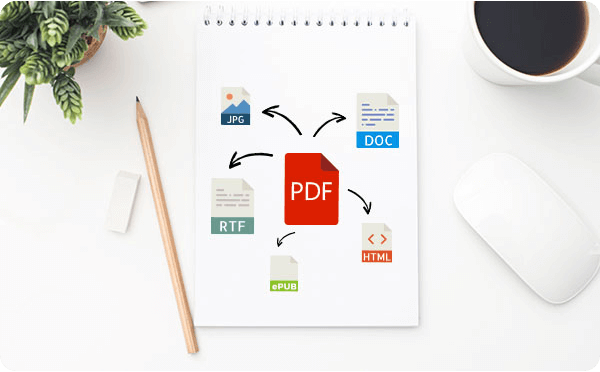
Ashampoo PDF converts your PDFs into text documents editable with MS Office or Ashampoo Office. HTML, EPUB, JPG or RTF are also supported as output formats. Ashampoo PDF Pro furthermore supports optical character recognition to convert your scans into editable and searchable documents.
Built-in PDF Printer Driver for Maximum Flexibility
Ashampoo PDF can create high-quality PDFs from any Windows application. Simply click "Print" and select the included Ashampoo PDF virtual printer. If size matters, Ashampoo PDF can automatically downsample images, e.g. to facilitate online publishing.
Create Trustworthy PDFs with Digital Signatures
Sign your documents for authenticity and added trust! Digital signatures are the equivalent of an ink signature on a paper document, but much more secure. They signal authenticity and prevent secret tampering. Ashampoo PDF Pro makes signing your documents super easy and helps you build trust with your recipients.
Ashampoo Snap 17 Professional Screen Capture for Windows with Integrated Video Editor (Download)
A Faster, Easier, and more Convenient way to Capture the Perfect Screenshot!
Creating screenshots and videos with Ashampoo Snap 17 is a breeze! Capture anything on your screen instantly. The integrated editors make it easy to edit, save, and share your recordings. Enhance your screenshots with features like automatic numbering, comments, and stickers to make them more impactful. Whether you're illustrating something quickly, working from home, or crafting a detailed tutorial, Snap 17 helps you achieve your goals quickly and efficiently!
The new Quick Access bar places essential functions right at your fingertips, streamlining your workflow, while the optimized user interface, clean layout, and customizable properties bar allow you to work more intuitively than ever. Additionally, the new file menu, smart keyboard shortcuts, and enhanced share button streamline every step, offering the speed and convenience you need.
Features include:
Printing Redefined for Precision, Flexibility, and Convenience
The new printing feature in Ashampoo Snap introduces one of our most requested enhancements: real-time print previews! With it, you can instantly view and adjust your settings, including paper size and orientation, margins, paper formats (such as A3, A4, Letter), and number of copies. Save your preferred settings for future use and even print multiple files simultaneously. Additionally, you have options for black & white or color printing, as well as direct access to the system print dialog. Printing has never been this straightforward and versatile!
See the full description here
Ashampoo Photo Commander 19 for Windows (Download)
Chock Full of Features: More than 200 Functions for your Photos in a Single Software!
20 years ago, beautiful photos were scarce. 10 years ago, memory was scarce. Today, we've got both - but we've also got a veritable file chaos, thanks to hundreds of files! Ashampoo Photo Commander 19 not only turns chaos into neat photo collections but it also turns good into great shots, and can even make collages, greetings cards, and slideshows. Convert your photos, even automatically and in batches, add watermarks, and sort your files by location for instant visual clarity. Photo Commander is the all-in-one solution for you!
Ashampoo Photo Commander includes over 200 photo-related functions and is rightly called "feature beast" by its fans. And it's true: You can click your way through the program and keep discovering new handy features and tools that other companies would gladly sell you as separate apps. Your fun journey into the world of photo editing begins today!
Get the perfect upgrade with the new Ashampoo Photo Commander 19! Enjoy more privacy for your photos, smoother management with smart drive detection and the brand-new Where?/When? view. Photo Commander 19 delivers full support for modern formats like WEBP animations, RAW and optimized video codecs, plus numerous detail improvements to wizards, collages, and duplicate detection!
- Automatic encryption of database, backups & Registry
- Optional screenshot protection against third-party access
- Crash safety with autosave & new crash reporter
- Automatic drive detection for USB sticks & external hard disks
- “Where?/When?” view with file counts for quick overview
- WEBP animations with EXIF & XMP support
- Updated RAW plugin for digital cameras
- Optimized GIF decoder & new video codecs
- Improved wizards with new design & faster duplicate search
- ADF scanning for Canon Pro scanners
Ashampoo Privacy Inspector 3 for Windows (Download)
Learn Everything About the Events on Your PC!
Windows collects data about your usage habits and what you do online. But what exactly is being recorded, and what can you do about it? From detailed evaluations of all PC activities, a look into the DNS cache, to comprehensive security settings–everything is revealed! Ashampoo Privacy Inspector 3 offers fascinating insights into the inner workings of Windows, including activities that are being logged, and returns maximum privacy back to you!
Features include:
Comprehensive PC Monitoring with Activities Module
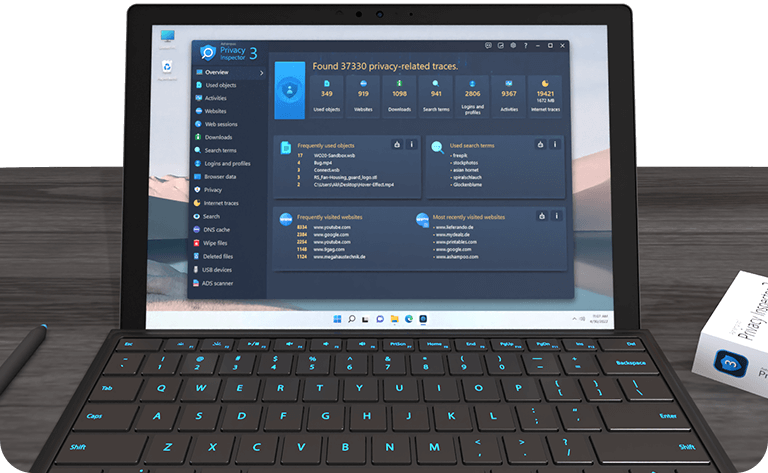
The new Activities module provides a comprehensive overview of all significant events on your PC. From running .exe files, opening files and folders, to installing or updating software–nothing escapes your attention! Learn exactly when the system was started or shut down, which user logged in or out, and if and when software errors occurred. Even default system events and background tasks are fully revealed to you. This powerful tool offers a detailed log of all your PC activities!
View and Clear DNS Cache
Did you know that your computer stores the IP addresses of visited websites in the DNS cache to speed up loading times? This makes browsing faster, but entries can become outdated or be manipulated during an attack (DNS spoofing). With the new DNS Cache Module, you stay in control! Not only can you view the cache in detail but also easily clear it when problems arise. You can even check the similarly structured hosts file. This ensures up-to-date connections and protects you from potential security risks!
Heightened Data and OS Security
In the Privacy section, you will find numerous new settings to configure Windows, apps, and browsers to be more secure and discreet. Internet Cleaner has been further enhanced: Deleted items now appear in a history, and the latest browser versions are optimally supported. Also new is File Wiper, which allows you to permanently delete sensitive data and folders. Even with specialized software, these files cannot be restored, ensuring your privacy remains intact!
Ashampoo WinOptimizer 28 for Windows (Download)
Discover the Next Generation of System Optimization!
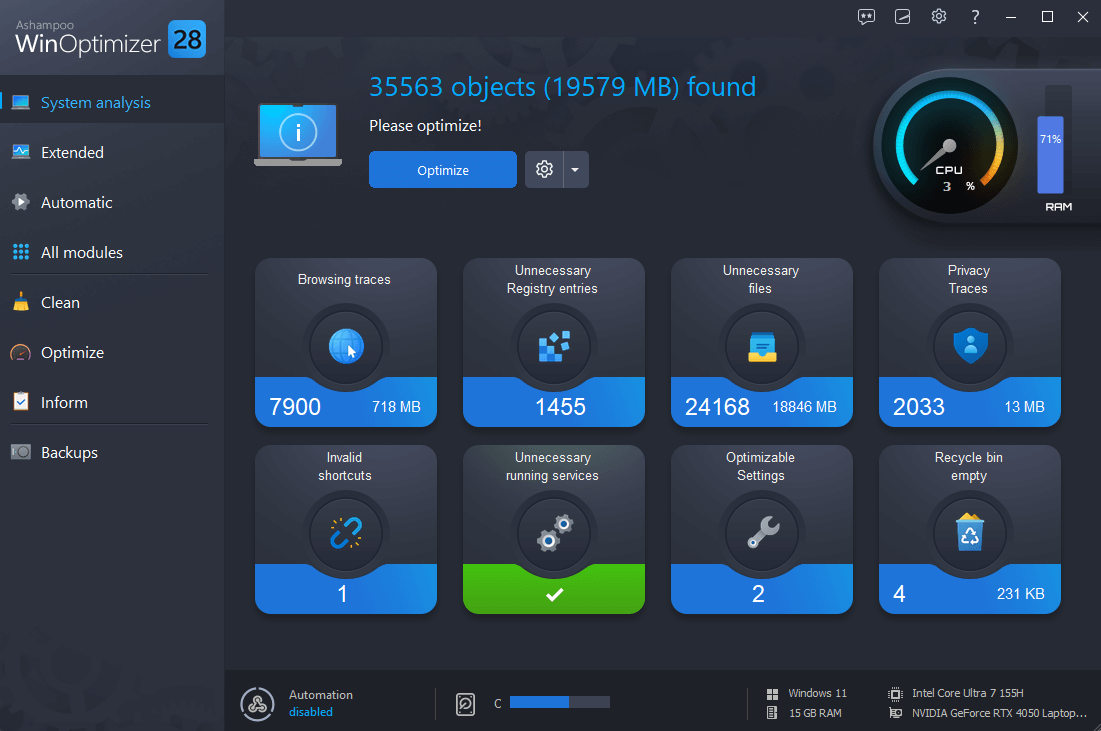
With the new Ashampoo WinOptimizer 28, you automatically get the best Windows experience. Its new automation accelerates, cleans, and tunes your applications. Have your PC seamlessly adapt to your needs with process prioritization, automatic cleanup of temporary files, and custom profile configurations based on the new Profile Booster. Whether for gaming, work, or browsing, maximize your system's performance or conserve resources, the choice is yours. The new Crash Analyzer offers deep insights into system crashes and their causes, while four advanced cleaners ensure privacy and provide system maintenance. Thanks to improved memory management, WinOptimizer can now utilize more resources to perform comprehensive analyses almost instantly!
Highlights:
- Provides an instant speed boost
- One-click optimization with four powerful cleaners
- Find and delete sensitive data with Privacy Traces Cleaner
- Fixes annoying errors and crashes
- Extended system analysis for fast all-round optimization
- Individually tailored Windows optimization with Tuning Assistant
- In-depth junk data removal
- Examine hidden Windows crash and error reports with Crash Analyzer
- Faster application launches with enhanced Live Tuner
- Brand new cleaner profiles with support for the latest Windows and browser versions
- Easily refresh and restore the icon cache
- Windows GodMode at the click of a button
- Unified, optimally readable design


)